01
See the evidence behind every assessment.
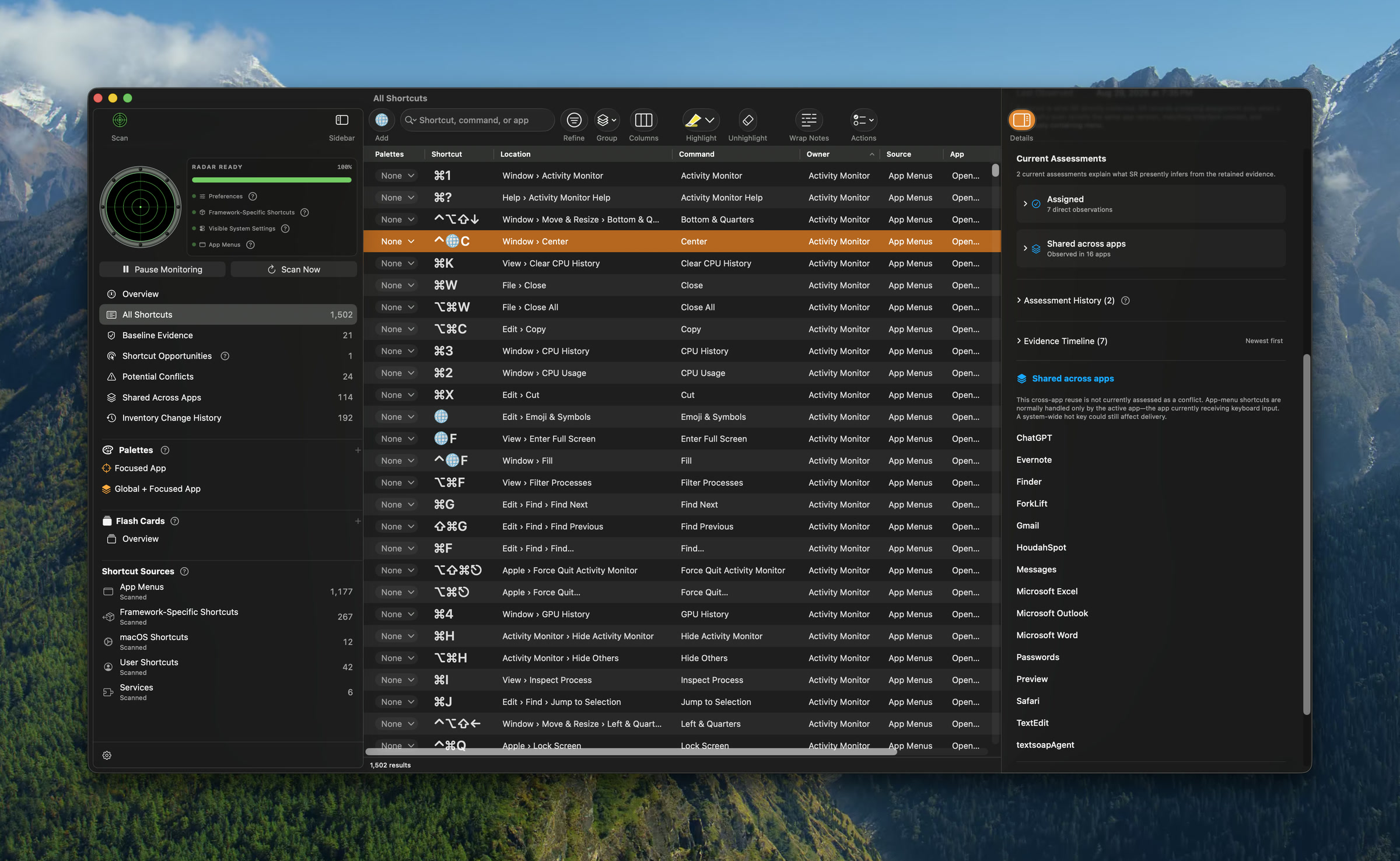
Select a shortcut to inspect what Shortcut Radar currently concludes, the observations supporting it, its assessment history, and every other app where the same assignment has appeared.
 Useful Means
Independent software for macOS
Useful Means creates thoughtful Mac software for people who want to understand their tools, stay in control, and work with less friction.
Our first product
A privacy-minded shortcut inventory and conflict helper for macOS, designed to show what it knows, where that knowledge came from, and where macOS leaves uncertainty.

The real app
These are actual Shortcut Radar screens—not rendered concepts. The inventory shown is local to one Mac; results vary with installed apps, permissions, and what macOS makes visible.
Select a shortcut to inspect what Shortcut Radar currently concludes, the observations supporting it, its assessment history, and every other app where the same assignment has appeared.
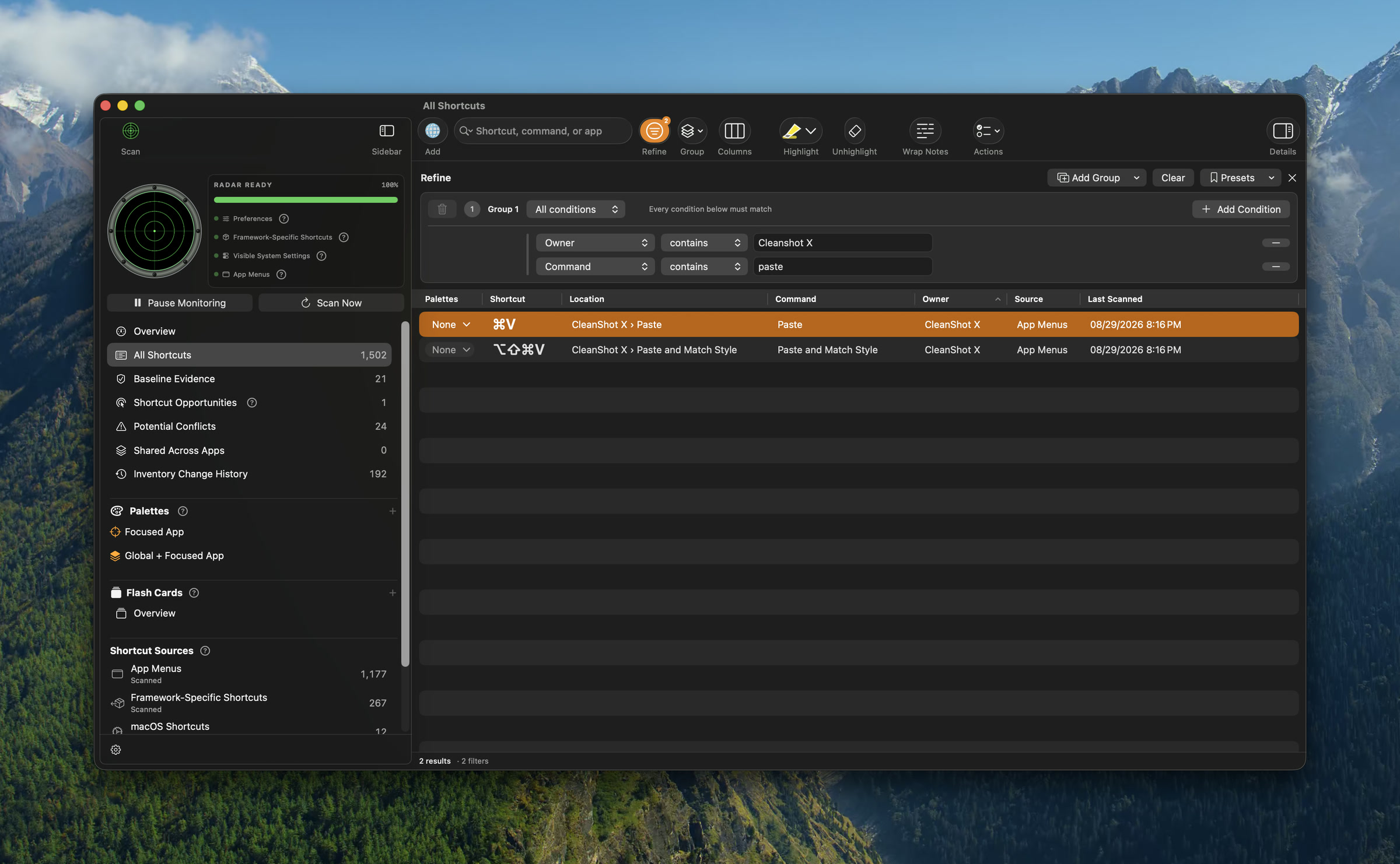
Combine multiple conditions across owner, command, source, app, evidence, and other fields. Here, two conditions reduce a 1,502-item inventory to the two CleanShot X commands containing “paste.”
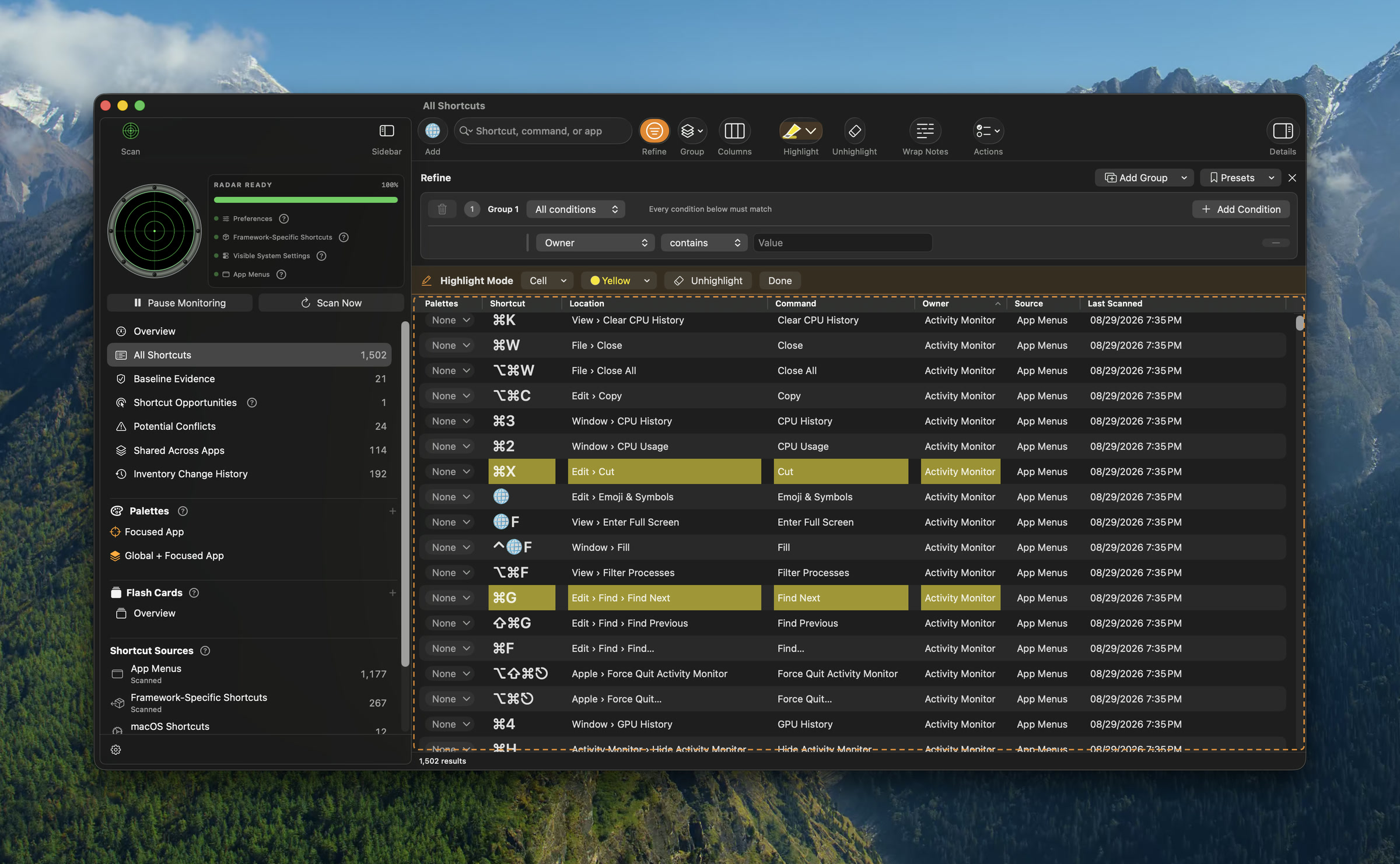
Highlight an individual cell, a row, or a column while keeping Refine, grouping, column choices, notes, and bulk actions close at hand.
Focused App palettes follow the app you are using. Global + Focused App can place global shortcuts alongside them, with independent control over structure, appearance, and triggers.
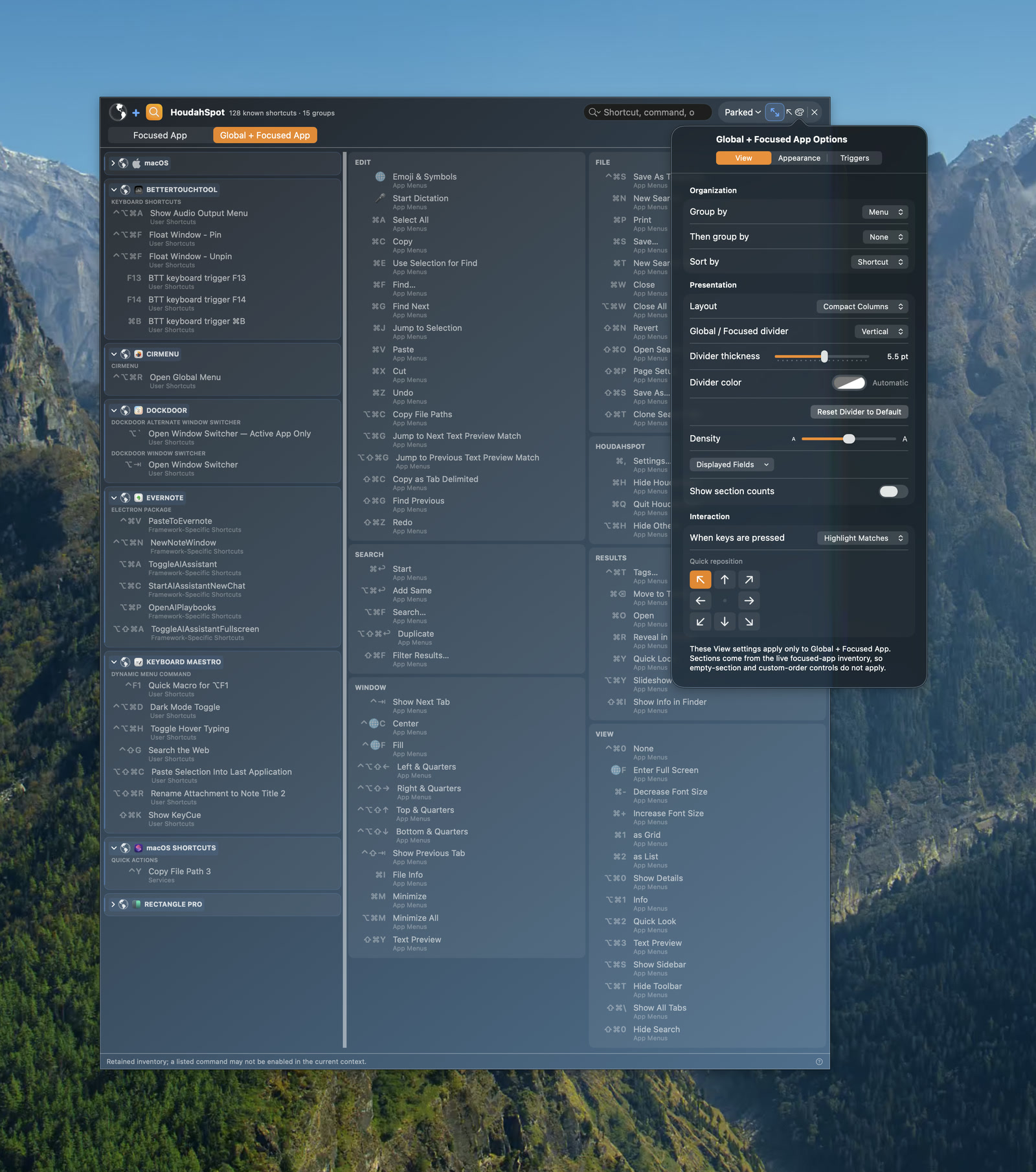
Choose grouping, sorting, layout, divider orientation and style, density, displayed fields, match behavior, and a quick screen position.
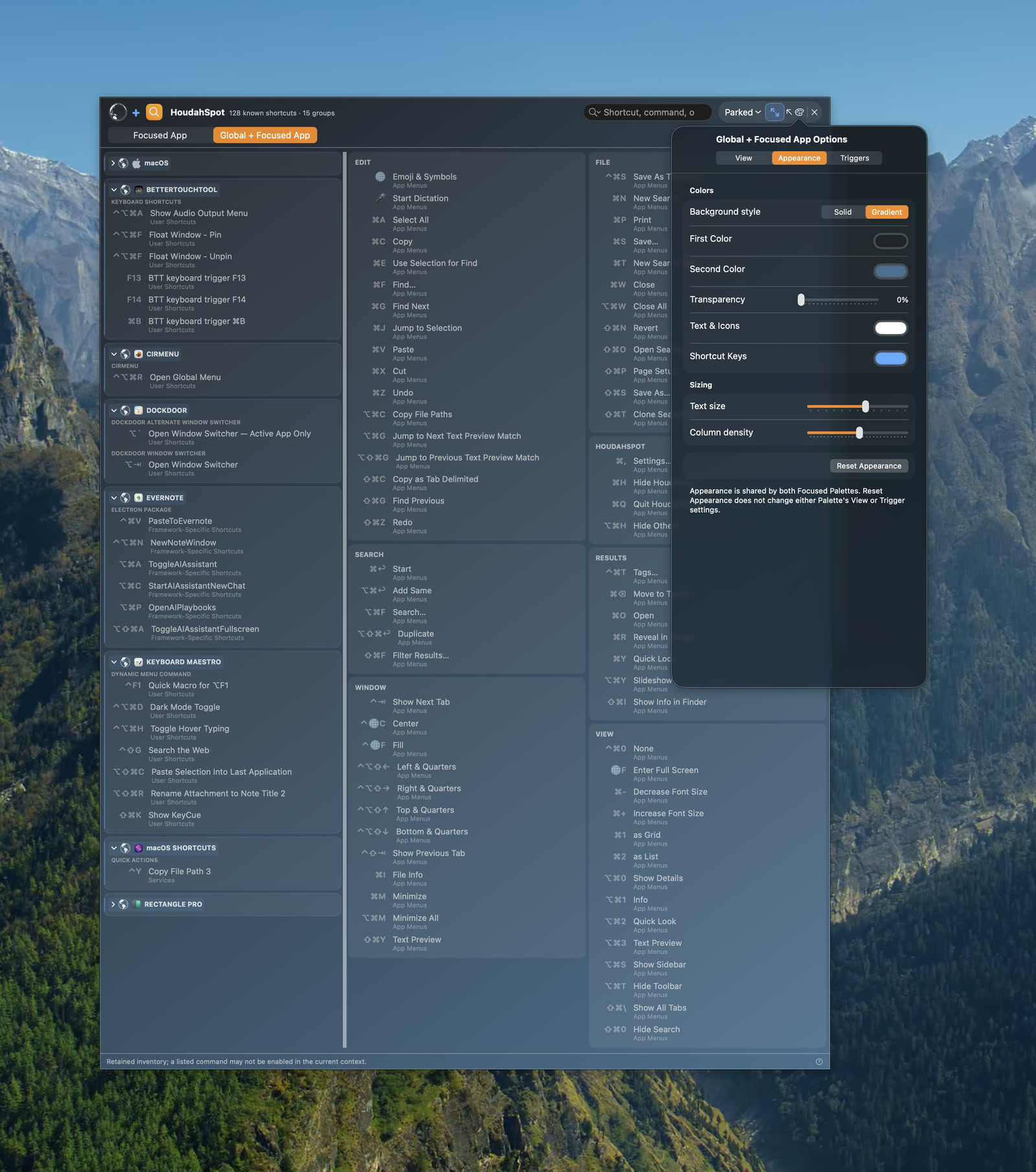
Choose solid or gradient backgrounds, colors, transparency, text and shortcut-key colors, text size, and column density.
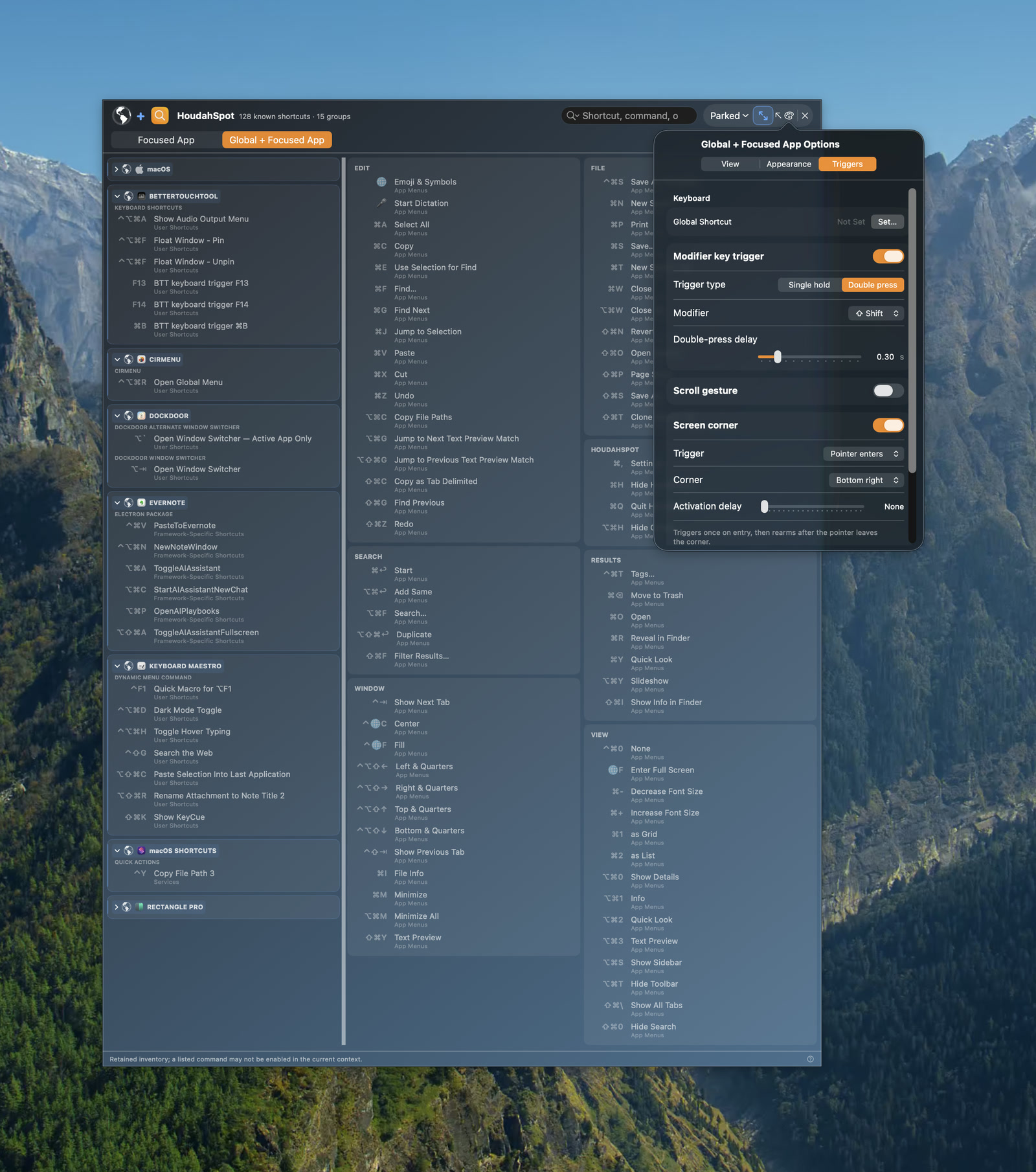
Use a global shortcut, modifier-key hold or double press, scroll gesture, or screen corner—with timing controls for deliberate activation.
Actual Shortcut Radar interface captured from a current development build. Displayed inventories and counts vary by Mac.
We name uncertainty instead of hiding it behind confident-sounding answers.
Core product features are designed to work locally, without requiring an account.
Every detail should help someone understand a system or take a clearer next step.